Downloading sequences from Genbank
Genbank is a major resource for biological sequence data. Genbank is available online through a web interface.
This guide describes how to download a sequence file or a part of a sequence file from Genbank given an accession number or an accession number and start and stop positions.
The public search interface of Genbank is called “Entrez”. Search on Google for “Entrez” then click on the first search result (below) to enter the genbank search page.

Search Entrez for the accession number AJ937350 as shown below.

The search result page should look a bit like the page shown below. There are a total of four results (Three under “Literature”, one under “Proteins” and one under “Genomes”. Click on the result under “Genomes” called “Nucleotide”.

You should see a page similar to the one shown in below. The file shown is the genbank file describing the gene for a sugar transporter protein.

Click on the “Send” button, then select “Complete Record” and “File” and finally click “Create file” (above). There should now be a file on you computer called “sequence.gb”. Open this file with a text editor such as Notepad (below).

Question 1:
The partial seguid of the sequence above (AJ937350) is ldseguid=ibyZjC, what is the complete checksum? Replicate the steps described above to solve this problem.

WARNING
SEGUID calculator does not understand the Genbank format. Copy the sequence only, Numbers is not a problem.
Downloading a part of a large genbank sequence from Genbank
For some large genbank files, the sequence is initially hidden due to its large size. The file with the accession number NC_001133 describe the Saccharomyces cerevisiae S288C chromosome I that is the smallest of the sixteen chromosomes of this organism, but still over 200 000 bp (below).

The gene FUN48 is located on chromosome I between position 37464 and 38972. In order to download this sequence, enter the start and stop positions in the gray box on the right side of the screen (below) and then click the “Update View” button.
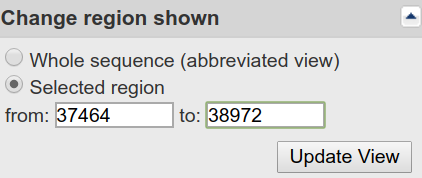
Scroll down to the end of the page and you will be able to see the sequence for the FUN48 gene (below).

Question 2:
The partial seguid is ldseguid=uvIYBA for the FUN48 gene, what is the complete checksum?
Genes on complement strand
The gene ACS1 is located on the same chromosome as the FUN48 gene, but on the complement strand to the one in the database between position 42881 and 45022. Change the start and the stop positions and Click on “show reverse complement” and then “Update View” (Fig 11) to show the gene in the correct order where the first three nucleotides are the start codon.

The resulting sequence should be similar to the one below:

Question 3:
The partial seguid checksum for the ACS1 gene is ldseguid=-mQjVd, what is the complete checksum?
Question 4:
This is an individual question for each student. Go to the TP06 Google Spreadsheet. You should find your name in the leftmost column. There are four columns called ACCESSION and location. Download the sequence described by your ACESSION and location in the four columns and calculate the seguid checksum for the sequence. Put this seguid checksum in the column marked “complete seguid”.
© Björn Johansson 2013 - 2025